Step 1
Load a local model
Choose any supported model and voice from OpenVox.

Local TTS API
Run OpenVox AI as a local API on macOS or Windows and connect compatible AI tools through the built-in MCP server.
No account required · 10,000 free characters daily · Pro is $19.99 once per platform
Built-in Local API and MCP server
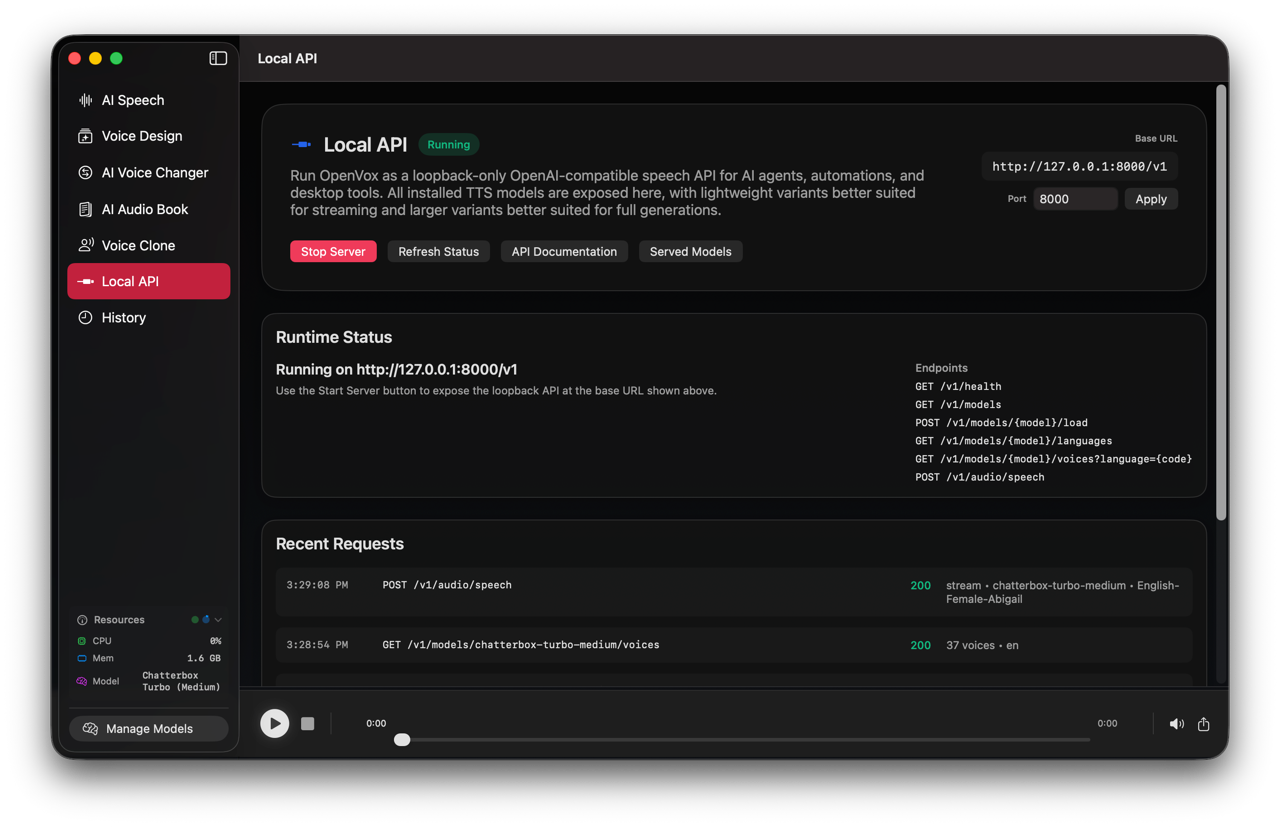
127.0.0.1
Loopback default
MCP
Agent tools
Pro
Unlimited calls
How it works
Step 1
Choose any supported model and voice from OpenVox.
Step 2
Call the localhost API or use MCP with a compatible agent.
Step 3
Return audio to an app, automation, or spoken agent workflow.
Why OpenVox AI
Access supported OpenVox models from apps and scripts on your computer.
Give compatible agents access to local speech tools.
Run repeatable local workflows without per-request cloud billing.
Private local processing
Your scripts, voice samples, and generated audio never leave your device for core AI voice processing.
Common questions
The local API and MCP server are available on macOS and Windows.
It uses loopback by default. Only enable local network access when your workflow requires it.
The endpoint exposes the OpenVox models supported by your installed platform and app version.
How to Read Obsidian Notes Aloud with Narrate and OpenVox
Follow eight screenshots to install Narrate, connect OpenVox’s local API, fetch a model and voice, and read Obsidian notes with the inline play button.
Read guideLocal TTS API for AI Agents: Add Private Voice Output to Your Automation
A developer guide to localhost voice output for agents, scripts, and automations.
Read guide