input.wav
→
target voice
changing voice...
Voice Changer
Convert existing recordings into a selected target voice with long-audio chunking.

Offline AI text to speech
Create voiceovers, transcribe and dub audio or video, clone voices you have permission to use, and turn EPUBs, PDFs, and scripts into audio locally.
OpenVox does not provide celebrity voice models and does not permit cloning, impersonating, or commercially using any person's voice without proper rights or consent.
One local interface for voices, models, and long-form audio.
Generate voiceovers, test models, clone permitted voices, and prepare audiobook chapters without sending your scripts to a cloud workspace.
Turn scripts into publish-ready audio, design voices, or clone voices you have permission to use.
Only clone voices you own or have permission to use. OpenVox does not provide celebrity voice models.
Import EPUBs, PDFs, and text, organize chapters, and keep a consistent voice across the whole book.
Listen to drafts, documents, articles, and selected text without sending private content to a cloud service.
Turn recordings, meetings, interviews, podcasts, and video into editable text and timestamped subtitles, then dub dialogue with a selected local AI voice.
Free download / No account required
These are real App Store reviews from recent OpenVox users.
Free download / No account required
Featured & verified
Independent listings, press mentions, and community recognition





OpenVox combines fast local TTS, reusable custom voices, audiobook tooling, voice conversion, and desktop transcription.
changing voice...
Convert existing recordings into a selected target voice with long-audio chunking.
Transcribe audio or video locally, edit the transcript, or replace dialogue with a selected local AI voice while keeping the original timing.
Build interviews, skits, dialogue, and character scenes with up to 4 voices in one script.
Warm storyteller...
Clone sample
Design a reusable voice from a prompt or clone a voice you own or have permission to use, then save it locally.
Ch 1
Ch 2
Ch 3
Import EPUB, PDF, or text, then manage chapters for long-form narration.
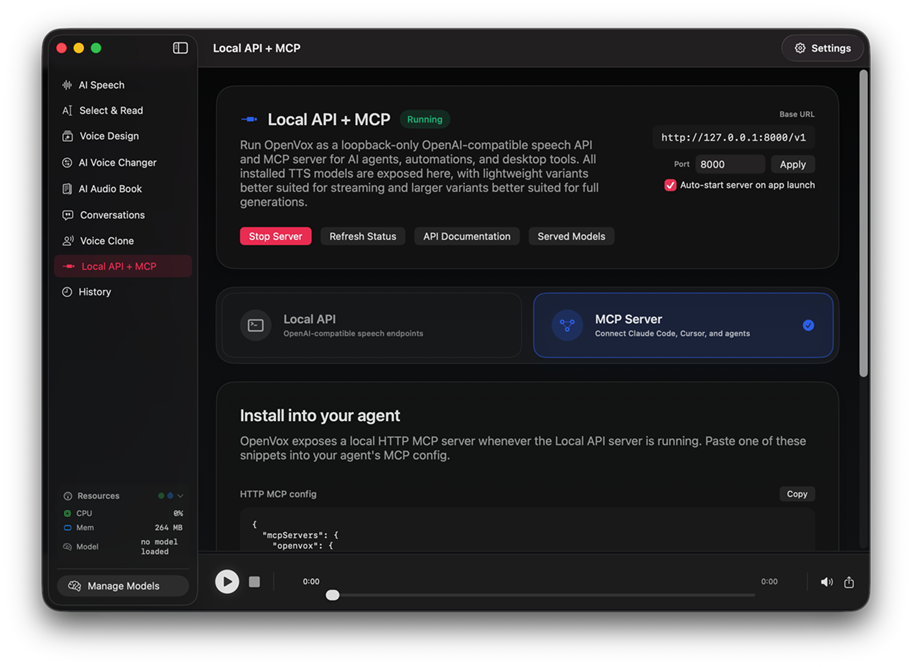
127.0.0.1:8000 · private
Toggle OpenVox from UI mode into a private local API for tools and agents.
Pick the right engine for voice, transcription, and translation workflows.
Free download / No account required
Mac + Windows
Highlight text on your Mac or Windows PC and hear it instantly.
| Feature | OpenVox Free | OpenVox Pro | Cloud TTS |
|---|---|---|---|
| Cost | $0 | $19.99 once | $10-50/month |
| Daily characters | 5,000/day | Unlimited | Pay per character |
| Privacy | Local-first | Local-first | Cloud-based |
| Works offline after setup | Yes | Yes | No |
| Commercial use | Included | Included | Often tier-dependent |
Privacy-first AI voice tools on Mac, iPad, and Windows, with a generous free tier and a one-time Pro unlock per platform.
Download Free
Run AI voices locally in 2 minutes
Unlock Pro
Stop paying recurring voice fees
Windows license keys are emailed after purchase. Activate through Upgrade to Pro, then Restore Purchase/Buy Pro.

OpenVox Reader
For iPhone, iPad, and Android
Private audio reading
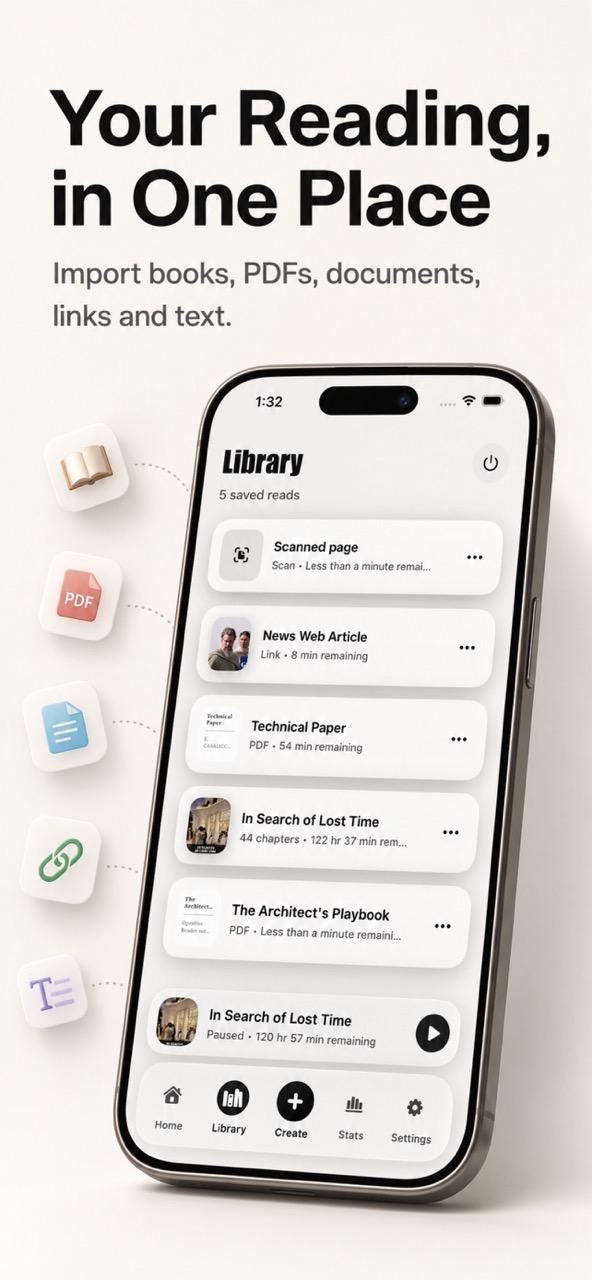
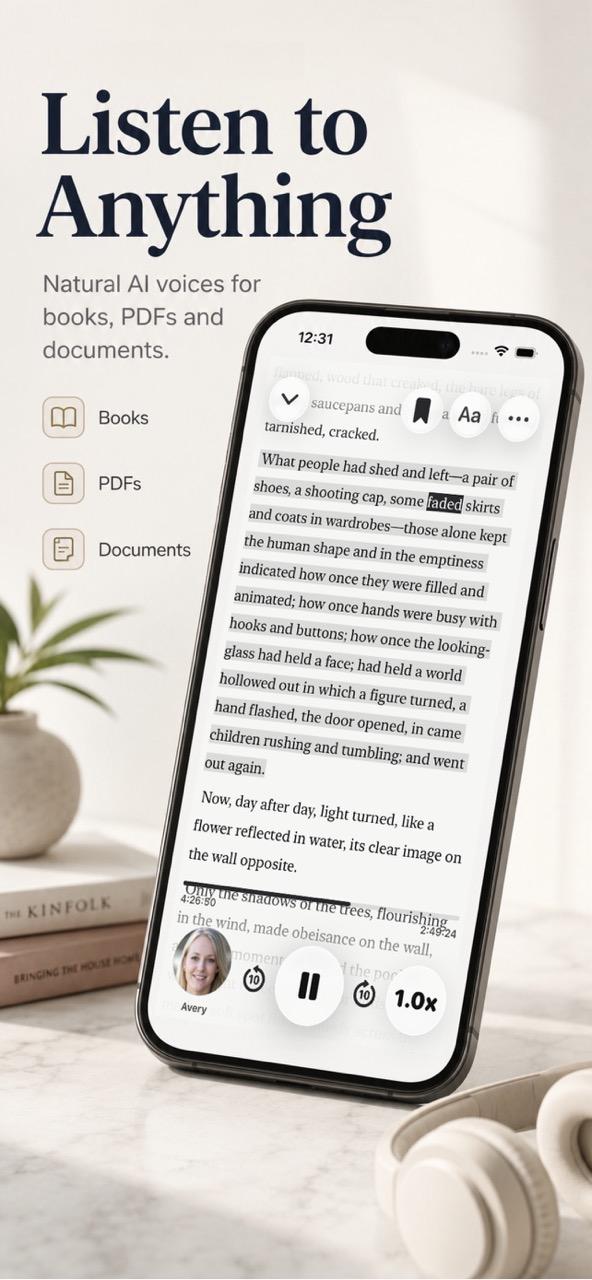
Listen to books, PDFs, documents, web links, scanned pages, and pasted text with natural voices, all processed privately on your device.
Mac
Apple Silicon, macOS 15 or later
iPad
Apple Silicon, iPadOS 18.4 or later
Windows
Windows 10 or 11 x64, 8 GB RAM minimum
No cloud AI, no tracking, and no monthly bill. Start free or unlock Pro Forever.
Download Free - Run AI voices locally in 2 minutes.