To find the best TTS software in 2026, start with the job you need it to do. Then test the exact language, voice style, document type, and computer you plan to use. Voice quality matters, but so do privacy, export formats, commercial rights, hardware requirements, pricing, and the time it takes to turn text into usable audio.
A tool that is excellent for reading web pages may be frustrating for audiobook production. A developer-friendly speech engine may sound good but require code and model setup. A polished cloud service may be convenient but unsuitable for confidential scripts or high-volume generation. The best choice is the one that fits your whole workflow, not the one with the largest number on its homepage.
The fastest way to choose well is to test your own text, in your own language, on your own device, before paying.
What should you look for in TTS software?
Evaluate seven things: voice quality, language support, task fit, privacy, platform performance, licensing, and total cost. Give each one a weight based on your use case. A YouTube creator may give voice quality and commercial rights the highest weight. A student may care more about reading controls and document import. A developer may prioritize a local API, latency, and deployability.
| Factor | What to verify | Suggested weight |
|---|---|---|
| Voice quality | Natural pacing, pronunciation, expression, and consistency across long passages | 25% |
| Workflow fit | Reading, voiceovers, audiobooks, cloning, accessibility, API, or automation | 20% |
| Language support | Your exact language, accent, script, and suitable voices | 15% |
| Privacy | Where text, voice samples, and generated audio are processed and stored | 15% |
| Price and licensing | Free limits, subscriptions, usage fees, commercial use, and voice rights | 15% |
| Platform and performance | Operating system, memory, storage, GPU needs, speed, and stability | 10% |
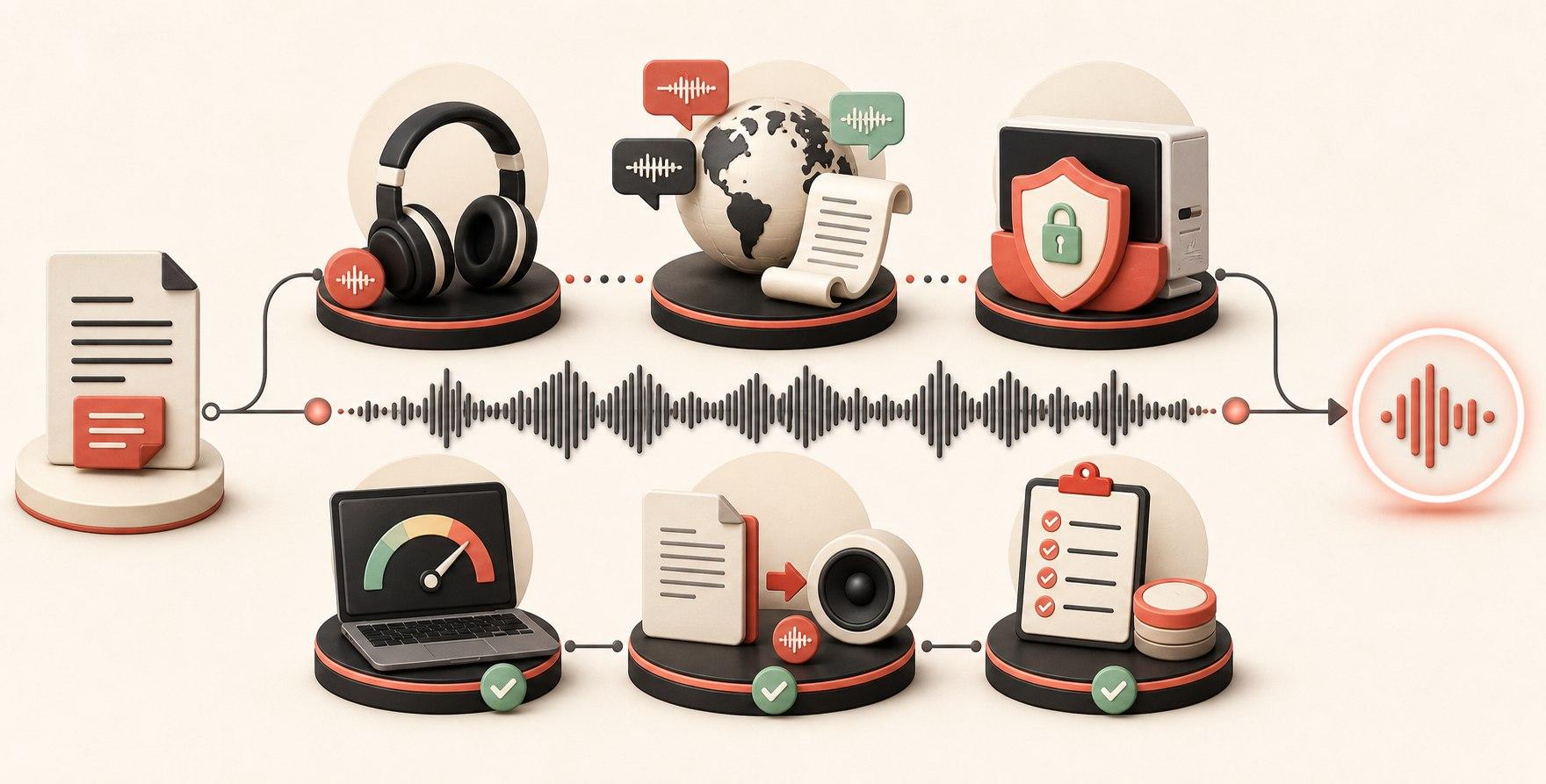
These weights are a starting point. Change them before you compare products. If privacy is non-negotiable, make it a pass-or-fail requirement rather than 15 percent of a score.
Step 1: decide what you need TTS to do
“Text to speech” describes several different products. Write down your primary outcome before searching for an app. This prevents you from paying for impressive features that do not help with the task.
Reading text aloud
Look for selection shortcuts, word highlighting, pause and resume controls, comfortable speed adjustment, and support across the apps where you read. Apple Read & Speak and Windows Narrator cover basic reading without a separate purchase. A dedicated reader becomes useful when you want better voices, document libraries, progress tracking, or more control.
Creating voiceovers
Look for audio export, pronunciation correction, paragraph-level regeneration, consistent voices, history, and control over speed and expression. Test whether edits require regenerating an entire script or only the changed section.
Producing audiobooks
A good audiobook tool should import PDF, EPUB, or text, organize chapters, preserve a consistent narrator, handle long-form generation, and export a useful book format. A basic paste box can make speech, but it creates a great deal of manual work over a full book.
Building apps and automations
Developers should check for a documented API, streaming support, concurrency behavior, model startup time, cancellation, output formats, and whether the endpoint is local or hosted. Piper is an example of a local engine designed for integration. OpenVox AI and Voicebox add graphical workflows around local APIs.
Cloning a voice
Only clone a voice you own or have explicit permission to use. Beyond quality, check how reference recordings are stored, whether they are uploaded, which model performs the cloning, and whether the model license permits your intended use.
Step 2: test voice quality with difficult text
Do not judge a voice from one polished sample chosen by the vendor. Use the same short test script in every app. It should include the material most likely to expose weaknesses.
- A natural paragraph with short and long sentences
- Names, brands, abbreviations, and technical terms from your field
- Dates, times, prices, percentages, decimals, and phone numbers
- A question, an exclamation, quoted dialogue, and a parenthetical phrase
- At least one passage in every language you expect to use
Listen for skipped words, strange pauses, unstable volume, repeated syllables, robotic sentence endings, and incorrect number pronunciation. For long-form work, generate at least five minutes. Some voices sound excellent for fifteen seconds but become tiring or inconsistent over a chapter.
Step 3: verify your language, not just the language count
“Supports 100 languages” does not mean each language has the same quality or voice choice. One model may cover a language through a single multilingual voice, while another provides several native-sounding speakers and accents. Some apps also count regional variants or transliteration systems separately.
For every language that matters, confirm:
- Whether the app accepts the native writing system
- How many voices are actually available for that language
- Whether numbers, dates, currencies, and abbreviations follow local conventions
- Whether mixed-language sentences are handled correctly
- Whether the chosen model and voice can be used commercially
A playable voice library is more useful than a language counter. OpenVox AI, for example, lets visitors browse voice samples by language before downloading the app.
Step 4: understand local, offline, and cloud processing
These terms are often used loosely. Our guide to local and cloud TTS models explains the technical tradeoffs in more detail. Ask where inference happens when you press Generate. In a local workflow, the TTS model runs on your computer or tablet. In a cloud workflow, text is sent to a remote service that returns audio. Some products mix both approaches, so the answer may change by voice or feature.
| Processing model | Advantages | Tradeoffs |
|---|---|---|
| Local and offline after setup | Private processing, no network dependency, predictable repeated use | Uses device memory, storage, and processing power |
| Cloud service | No large local models, consistent hosted hardware, easy remote API access | Account, internet, usage limits, and remote processing may apply |
| Hybrid | Choice between convenient cloud voices and private local models | You must verify the behavior of each selected feature |

Local software still needs internet access for the initial download, model downloads, updates, or payment verification in some cases. The meaningful privacy question is whether your scripts, permitted voice samples, and generated audio leave the device during core voice processing.
Step 5: check whether it will run well on your computer
Modern neural TTS models vary enormously in size and speed. Our comparison of free local TTS models is a useful starting point when matching an engine to your hardware. A lightweight engine may run faster than real time on an ordinary CPU. A larger expressive or cloning model may require more memory, storage, or a supported GPU.
Before installing, check:
- Supported operating system and processor architecture
- Minimum and recommended memory
- Model download size and available storage
- GPU, Apple Silicon, CUDA, DirectML, or CPU requirements
- Expected generation speed for your device class
- Whether models are unloaded from memory when you switch or quit
If a free trial exists, generate the same one-minute passage with two or three models. Measure setup time, generation time, memory pressure, and how responsive the rest of the computer remains.
Step 6: compare the complete workflow
A natural voice does not compensate for a slow production process. Count the steps between source text and finished audio. Check whether the app accepts your files, preserves chapter boundaries, lets you fix one passage, remembers settings, and exports the format required by your editor or publishing platform.
| Workflow | Features worth testing |
|---|---|
| Everyday reading | Global shortcut, highlighting, speed, pause, skip, and cross-app support |
| Voiceovers | Paragraph editing, regeneration, pronunciation rules, history, WAV or compressed export |
| Audiobooks | PDF and EPUB import, chapters, narrator consistency, batch generation, M4B or chapter export |
| Apps and agents | API documentation, MCP support, latency, cancellation, health status, and local authentication |
| Voice cloning | Consent controls, sample handling, transcript correction, local storage, and model license |
Step 7: calculate the real price
Compare cost over the period you expect to use the tool. A cheap monthly plan can cost more than a one-time app after a few months. A free local engine can have a higher setup cost if you need to build the interface and workflow yourself.
Check all of the following:
- Daily or monthly character limits
- Whether unused credits expire
- Subscription, one-time purchase, or usage-based pricing
- Separate purchases for Apple, Windows, teams, or multiple seats
- Commercial-use rights for the app, model, voice, and source content
- Whether API access or high-quality export requires another plan
OpenVox AI pricing includes 10,000 free characters per day and Pro for $19.99 once per platform. Voicebox and Piper are open-source options, but they expect more technical setup. Cloud services often exchange that setup burden for recurring plans or metered usage.
Step 8: make a two-product shortlist and run a real project
Do not keep ten products in consideration. Eliminate anything that fails a hard requirement, then test the two strongest options with one real task. Import an actual chapter, generate a real client script, or connect a small test application. Record the time spent fixing pronunciation and exporting the result.
The winning product is usually obvious after this test. One may have a slightly better demo voice, while the other saves an hour of editing and handles your documents correctly. Choose the better complete result.
Which type of TTS software fits you?
| Your priority | Start with | Why |
|---|---|---|
| Private voiceovers and audiobooks in a graphical app | OpenVox AI | Multiple local models, document workflows, audio export, and one-time Pro pricing |
| Free open-source voice experimentation | Voicebox | Multiple local engines, cloning tools, effects, and a local REST API |
| Embedding local speech in software | Piper or an app with a local TTS API | CLI, Python, C/C++, and local web-server options |
| Free Windows document conversion | Balabolka | Broad file support and audio export using installed Windows voices |
| Basic reading with no new app | Apple Read & Speak or Windows Narrator | Both are included with their operating systems |
| Very compact multilingual speech | eSpeak NG | Small footprint and support for more than 100 languages and accents |
Red flags when choosing TTS software
- No playable sample in your language
- “Offline” claims that do not explain where inference happens
- Voice counts without a searchable language and voice library
- No clear hardware or operating-system requirements
- Unclear commercial-use or voice-cloning terms
- A free plan that requires payment details before meaningful testing
- No explanation of character limits, overages, or renewal pricing
- Perfect short samples but no evidence of long-form stability
Frequently asked questions
Which TTS software is best?
The best TTS software depends on the job. OpenVox AI is a strong all-around choice for private reading, voiceovers, audiobooks, and local automation. Piper is better for developers who need an engine. Built-in Apple and Windows readers are enough for basic accessibility and listening.
How do I compare AI voices?
Generate the same difficult script in every product. Include names, dates, currencies, dialogue, questions, long sentences, and your target language. Compare pronunciation, pacing, expression, consistency, and editing time.
Is free TTS software good enough?
It can be. Built-in readers work well for basic listening, and open-source engines can be excellent for technical users. Paid software becomes worthwhile when it saves setup time or adds better voices, long-form tools, export, support, and a polished workflow.
Should I choose offline or cloud TTS?
Choose offline TTS when privacy, internet independence, repeated generation, or predictable cost matters most. Choose cloud TTS when you need a globally reachable hosted API, shared team infrastructure, or do not want local model downloads and hardware requirements.
How much should TTS software cost?
Compare the total cost for your expected usage, not only the first month. Include subscriptions, character overages, API access, platform-specific purchases, commercial rights, and the time required to prepare and edit audio.
Can I commercially use AI-generated voices?
Commercial use depends on the software terms, model license, voice rights, and source content. Check every layer. Never clone or commercially use another person’s voice without the appropriate rights and explicit consent.
Final checklist
- Define the one workflow that matters most.
- Test your own text and language.
- Confirm where processing happens.
- Check performance on your actual hardware.
- Verify input, editing, and export workflows.
- Read the app, model, and voice licensing terms.
- Calculate the complete one-year cost.
- Finish one real project during the trial.
Following this process will tell you more than any generic top-ten list. The best TTS software is the product that produces convincing speech in your language, respects your privacy and rights, runs reliably on your device, and gets from text to finished audio with the least unnecessary work.