The Mac text-to-speech market has split into two groups. One group is built for reading documents aloud. The other is built for generating finished audio: voiceovers, audiobooks, cloned voices, multilingual speech, and local API workflows. If you are choosing a Mac TTS app in 2026, the right answer depends on which group you actually need.
This ranking focuses on Mac usefulness, local or local-first operation, voice quality, creator workflows, language support, commercial-use clarity, pricing, privacy, and how well each product fits real production work. The order below is descending from #5 to #1, with OpenVox ranked first.
The best Mac TTS app is not just the one with the most voices. It is the one that matches your privacy needs, export workflow, language coverage, licensing requirements, and tolerance for direct downloads versus App Store updates.
For Mac users comparing the model engine inside a local TTS app, OpenVox now includes MOSS TTS 1.5. It is a Mac-only, quality-first option with 31-language support, voice cloning, explicit pause control, and native 48 kHz stereo output for narration and audiobook work.
#5. Bantr
Bantr is positioned as an offline and unlimited TTS app for Mac. Its product listings describe a Mac app that runs on-device with Apple's MLX framework, offers over 150 voices, requires no login or quota, avoids subscriptions, and does not collect data. That makes it appealing if you want a small, private Mac TTS tool without a complicated account or credit system.
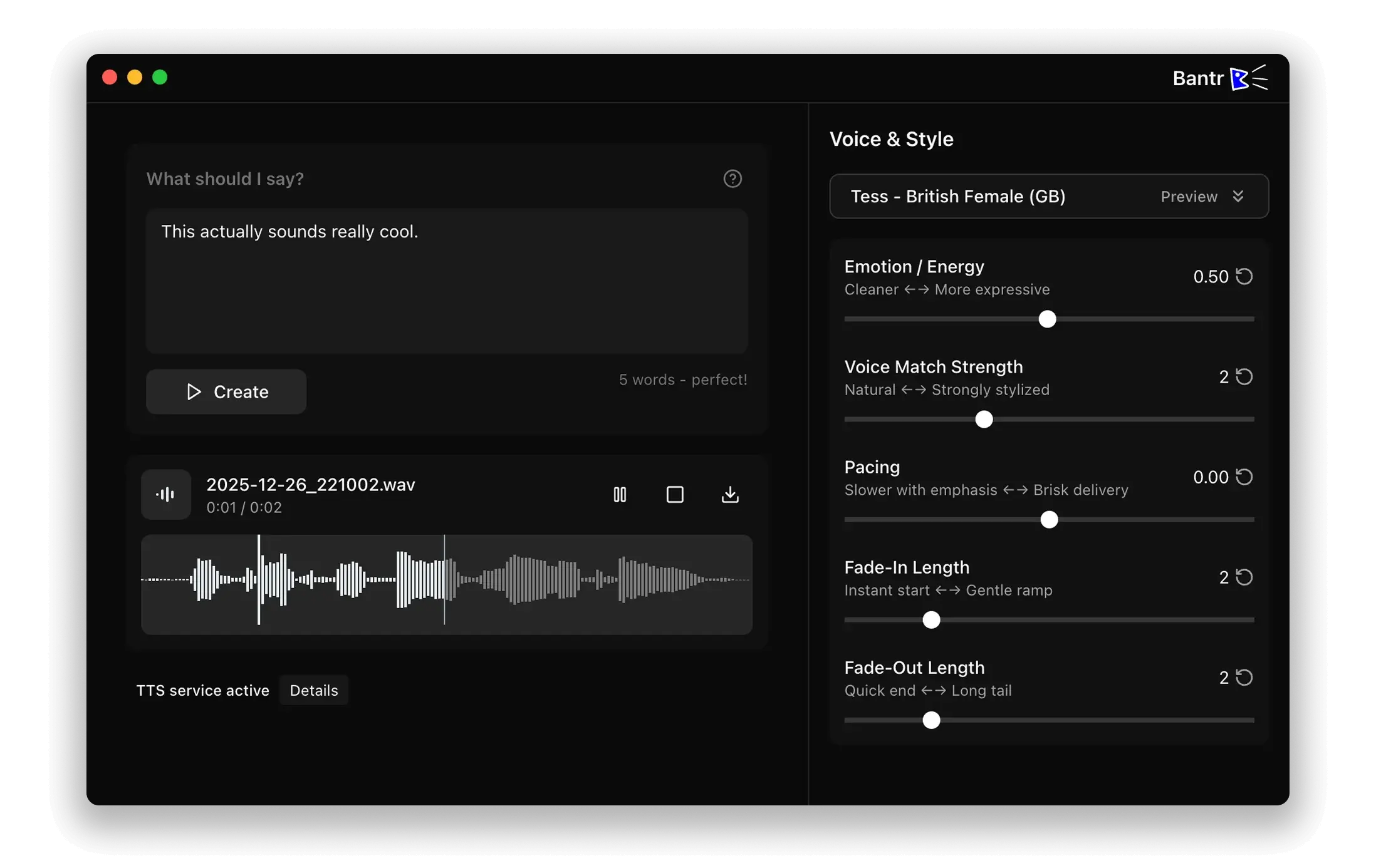
Bantr is a good lightweight option, but it lands at #5 because the workflow is narrower than the tools above it and it is expensive considering the value it offers. It has 150+ voices and voice cloning support, but it does not match OpenVox or Voicebox or Murmur for broader production workflows such as audiobook tooling, voice conversion, or very large language coverage.
| Pros | Cons |
|---|---|
| Offline Mac positioning with MLX-based local generation. | Less public detail than larger competitors about models, export workflows, and long-form handling. |
| Over 150 voices according to launch listings. | Direct download only, so it does not get the Mac App Store update/distribution path. |
| No login, no quota, no subscription positioning. | Smaller ecosystem and less evidence of advanced production tooling than OpenVox or Murmur. |
Best pick if: you want a straightforward offline Mac TTS app and do not need the widest language coverage, API workflows, audiobook tooling, or advanced voice design.
#4. Murmur TTS
Murmur TTS is a creator-focused local voice studio for macOS. Its official site says it generates natural narration on-device, supports voice cloning from a short recording, includes 860+ voices, supports multilingual output, and avoids subscriptions or per-word pricing. It also targets long-form workflows: scripts, full books, chapter queues, and rendered narration.
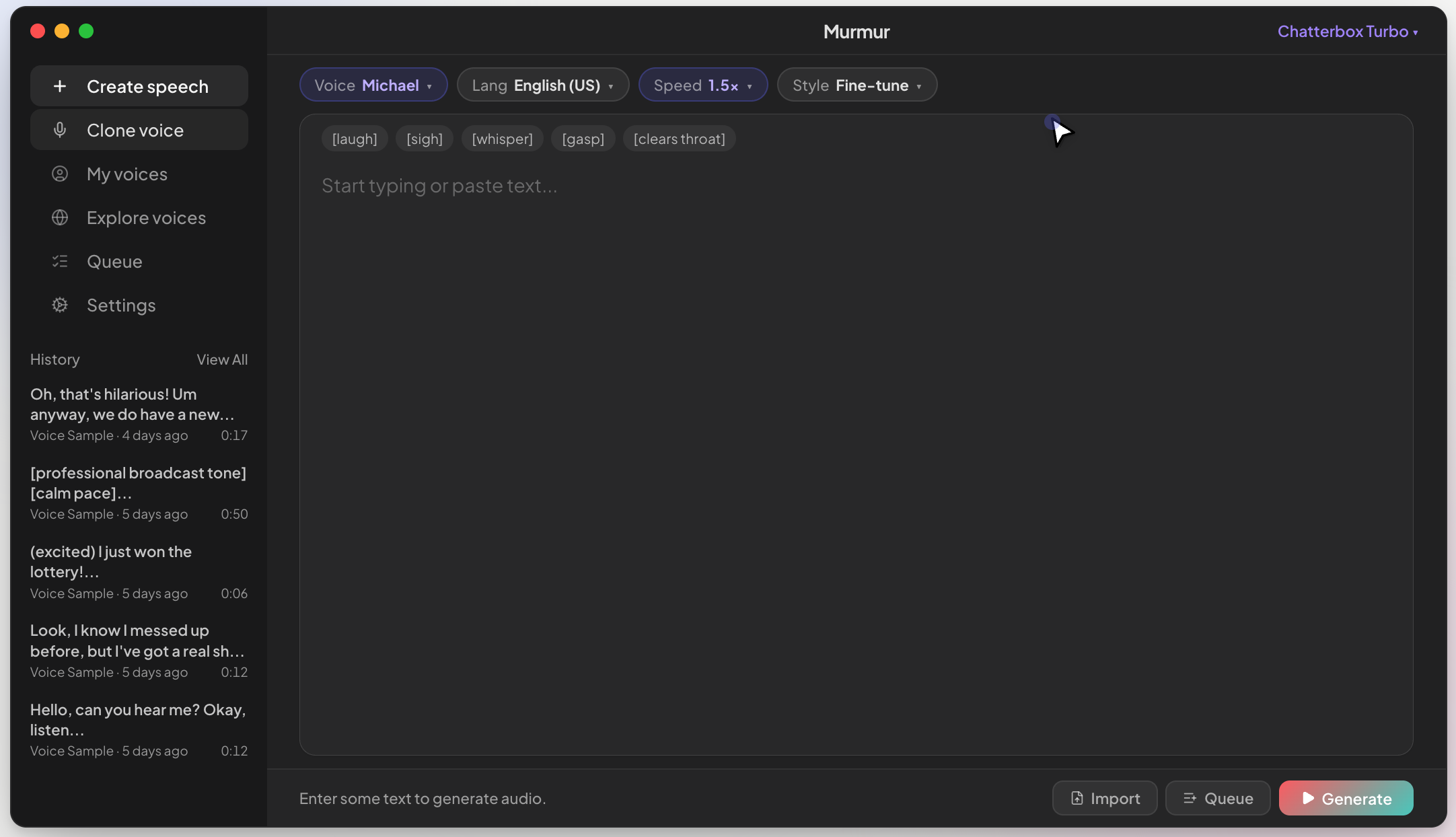
Murmur is strong because it has the biggest voice library in this list. It also includes six model paths: Kokoro, Chatterbox, Chatterbox Multilingual, Qwen3-TTS, SparkTTS, and Fish Audio S2 Pro. The caveat is licensing: Fish Audio S2 Pro is research-only, so commercial users need to pay attention to which model they use.
| Pros | Cons |
|---|---|
| Strong local-first positioning with on-device generation. | Requires Apple Silicon and macOS 14+ according to the product site. |
| 860+ voices and multilingual output make it the biggest voice library here. | Fish Audio S2 Pro is research-only, so not every included model is cleanly commercial-use friendly. |
| Voice cloning and batch-style book generation are useful for creators. | $49 one-time is more expensive than other options, and distribution is direct download only. |
Best pick if: you want a polished local narration app for podcasts, YouTube scripts, lessons, audiobooks, or cloned creator voices.
#3. Kokori
Kokori is a local macOS TTS app built around Kokoro TTS. Its site describes 50+ voices, speed control, pitch control, a desktop interface, generated audio history, detailed local logs, and a built-in REST API. The local API is especially practical for developers because Kokori exposes a simple endpoint at localhost:5002/tts.
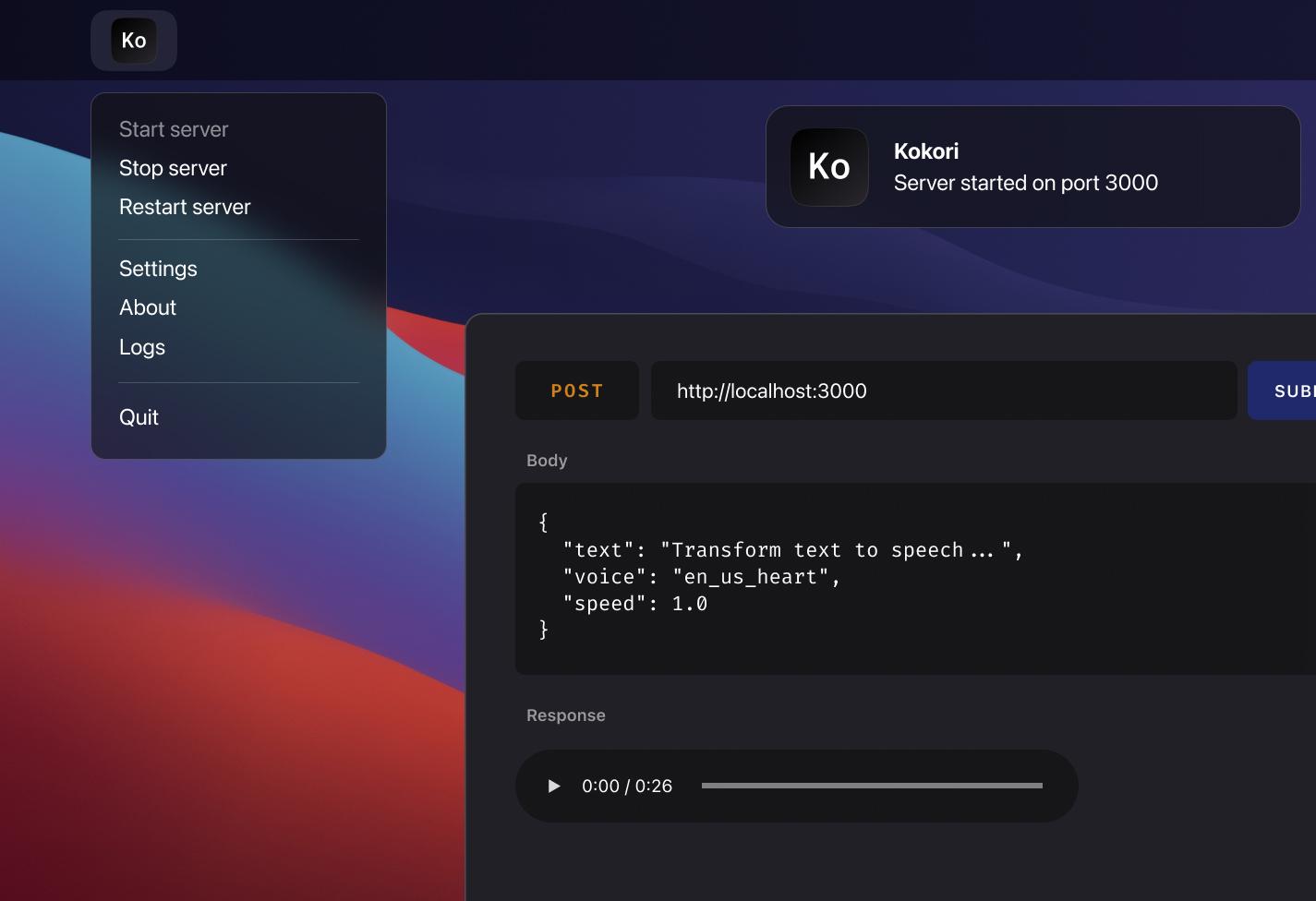
Kokori ranks above Bantr because its developer workflow is clearer: install the app, start the local server, and call the API from your own tools. It ranks below Voicebox and OpenVox because it is more focused on Kokoro-based generation rather than a broad multi-model voice studio with cloning, conversion, voice design, and audiobook workflows.
| Pros | Cons |
|---|---|
| Local/offline macOS app with a clean REST API for developer workflows. | More limited model and voice range than multi-engine apps such as Voicebox or OpenVox. |
| 50+ voices, speed control, pitch control, logs, and local generation history. | Best suited to Kokoro-style fast TTS, not full voice production. |
| Works out of the box with no external installs or cloud setup. | No broad 600+ language layer, voice changer, or full audiobook import workflow. |
Best pick if: you want a small Kokoro-based local TTS server for macOS apps, prototypes, and developer testing.
#2. Voicebox
Voicebox is a local-first voice synthesis studio with a developer-friendly angle. Its site describes 7 TTS engines, 23-language reach, local-first privacy, voice cloning, post-processing effects, and API-ready generation. It even exposes a local endpoint at localhost:17493.
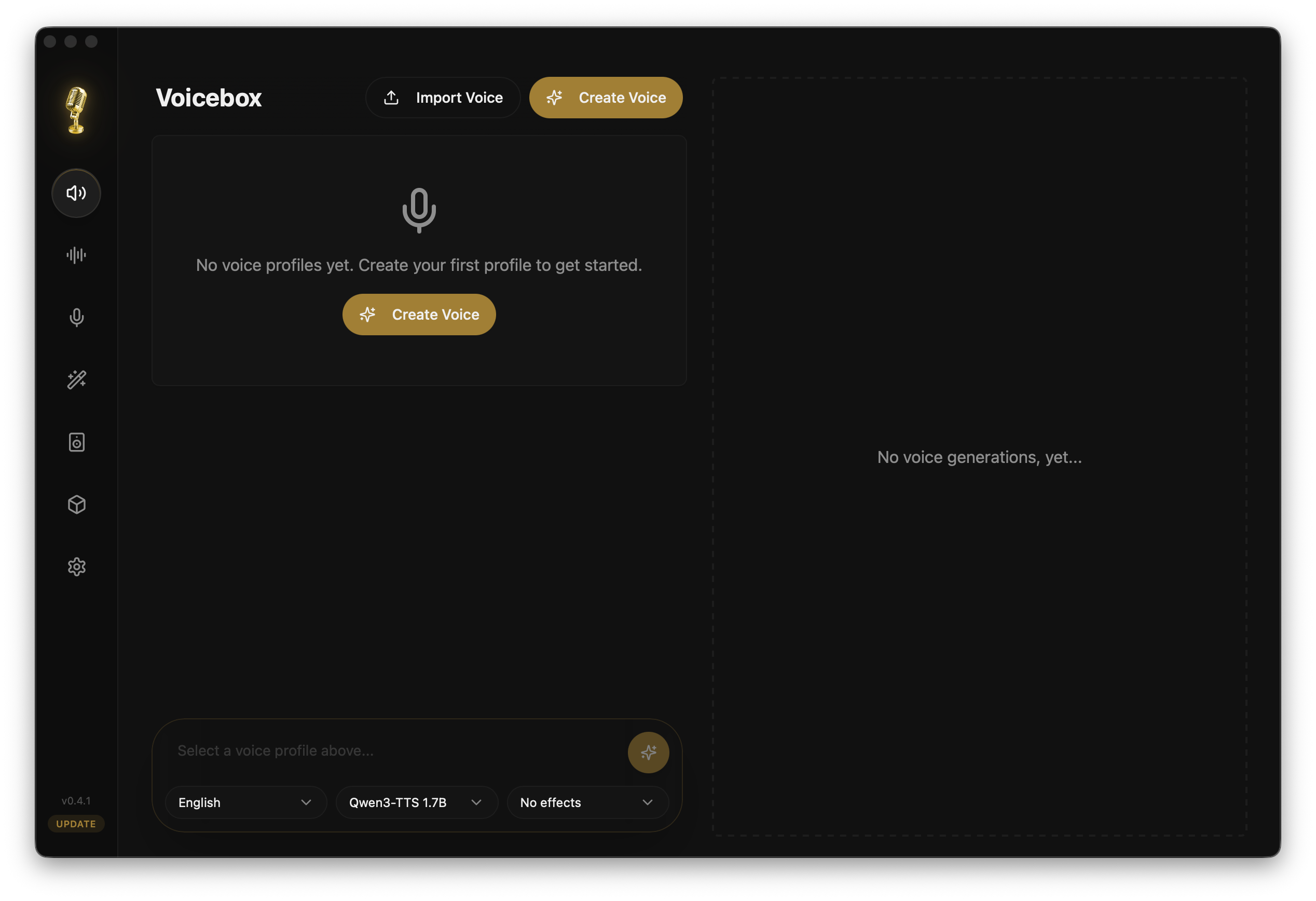
Voicebox earns #2 because it is not trying to be a simple reader. It behaves more like a voice lab: clone, generate, apply effects, compose multi-voice output, and expose local generation for internal tools or product prototypes. It also wins on being open source and cross-platform. The practical tradeoff is that it is less Mac-native: startup is slower (takes 20 Seconds to start), it requires direct download/setup, and it does not bundle the same out-of-box voice library experience as other tools.
| Pros | Cons |
|---|---|
| Multi-engine design with Qwen3-TTS, Chatterbox, Kokoro, and other paths. | 20 Seconds Startup time which feels like ages and not Mac-native |
| Local API and effects make it attractive for developers and audio tinkerers. | 23-language reach is useful, but not enough for global audiences. |
| Good fit for voice cloning, stories, multi-voice projects, and prototypes. | No bundled voice library unlike Murmur and OpenVox |
Best pick if: you want a local-first voice synthesis stack with engines, effects, and API access for custom workflows.
#1. OpenVox
OpenVox ranks first because it combines the pieces Mac users usually have to stitch together: fast local speech, broad language coverage, premium voice workflows, voice cloning, voice design, audiobook generation, voice conversion, history, export, and local Speech API for AI Agents like OpenClaw.
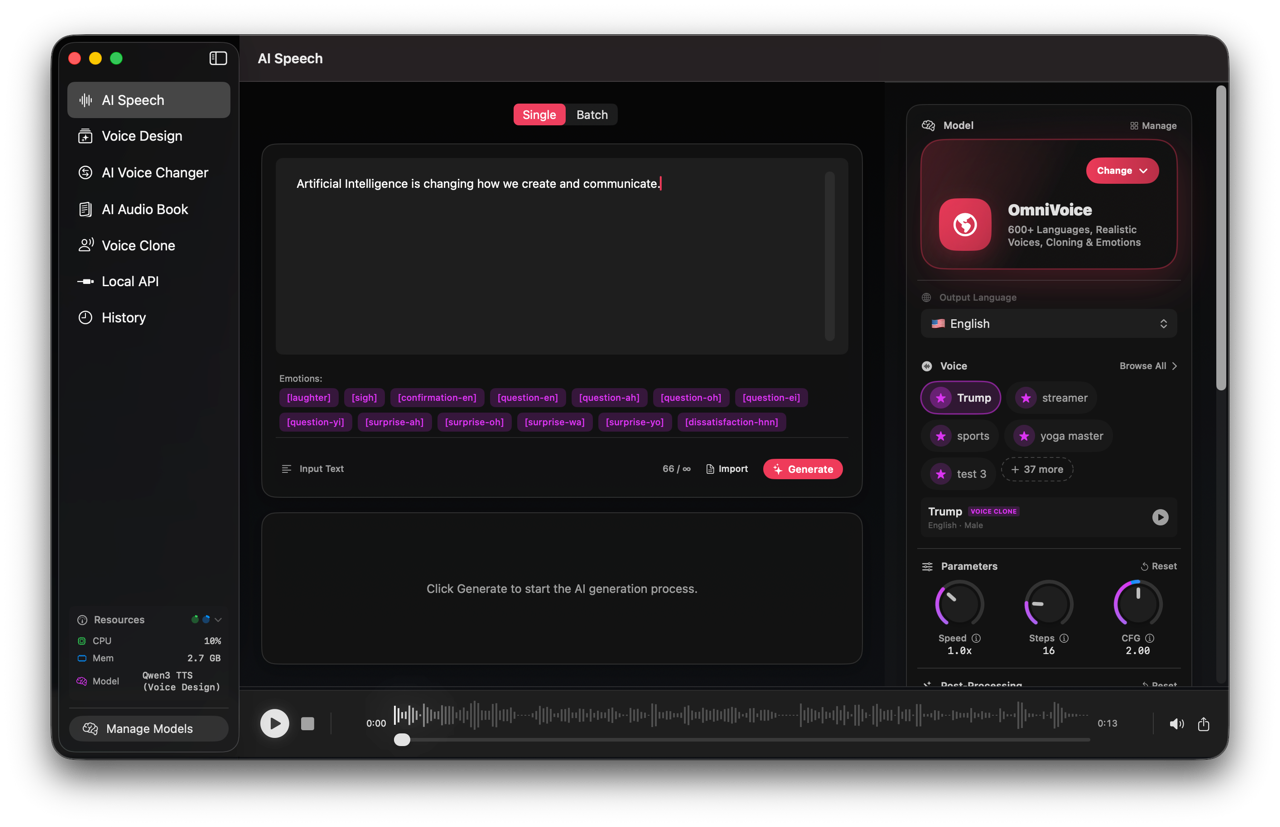
OpenVox's site positions it as an Apple Silicon Mac app powered by MLX, with no OpenVox backend for core generation, no cloud AI inference for core workflows, no per-character billing with Pro, 300+ voices, 600+ languages through OmniVoice, and six local model paths: Kokoro, Supertonic 3, Chatterbox Turbo, Chatterbox Multilingual, OmniVoice, and Qwen3 TTS. The models used are open source models with Apache 2.0 or MIT licensing for commercial use.
| Pros | Cons |
|---|---|
| Best all-around Mac workflow: TTS, audiobooks, cloning, design, conversion, and history. | Requires Apple Silicon for the intended local AI workflow. |
| 600+ language coverage with OmniVoice plus 300+ voices across the app. | First-time model downloads can take time and disk space. |
| Voice cloning, voice conversion, voice design, and audiobook generation all ship today. | More capability means more settings to learn than a basic reader app. |
| Free tier, $20 one-time Pro unlock, no account required, and Mac App Store updates. | Cross-platform users may prefer Voicebox because OpenVox is Mac-focused. |
Best pick if: you want the strongest local Mac TTS suite for creators, developers, educators, audiobook workflows, multilingual speech, and private AI voice generation.
Rank #1: OpenVox
Best overall local TTS app for Mac in 2026.
OpenVox ranks first for its combination of 600+ language coverage, 300+ voices, six local model paths, commercial-use-friendly open models, voice cloning, voice design, audiobook generation, voice conversion, and a $20 one-time Pro unlock for unlimited generation.


Free download
Mac, iPad, and Windows • Local-first • No account required
Final recommendation
Pick Bantr if you want a simple offline Mac TTS app. Pick Kokori if you want a compact Kokoro-powered local API server. Pick Murmur if your priority is sheer voice variety. Pick Voicebox if you want an open source, cross-platform voice lab. Pick OpenVox if you want the broadest Mac-native local voice AI workflow in one app.
For privacy-sensitive voice generation, the deciding factor is control. If your text, voice samples, generated audio, and usage volume matter, a local-first app with one-time pricing and export-friendly workflows is usually a better long-term fit than a cloud reader or per-character TTS service.
Ranking summary
| Rank | App | Best for | Official or product link |
|---|---|---|---|
| #5 | Bantr | Simple offline Mac TTS with one-time purchase positioning. | getbantr.com |
| #4 | Murmur TTS | Local creator narration, audiobook queues, and voice cloning. | murmurtts.com |
| #3 | Kokori | Fast Kokoro-based local TTS with a simple REST API. | kokori.app |
| #2 | Voicebox | Local-first voice synthesis with multiple engines, effects, and API workflows. | voicebox.sh |
| #1 | OpenVox | Full local Mac voice AI: TTS, voice cloning, voice design, audiobooks, and 600+ languages. | openvoxai.com |
Sources
- Bantr launch/product listing: Bantr: Unlimited TTS for Mac on Uneed
- Murmur official site: murmurtts.com
- Kokori official site: kokori.app
- Voicebox official site: voicebox.sh
- OpenVox official site: openvoxai.com