The difference between a weak voice clone and a convincing one is often not the model. It is the reference recording. A powerful open source model can reproduce room echo, background noise, nervous delivery, an incorrect accent, or a bad microphone just as faithfully as it reproduces the speaker's identity.
The best results come from treating voice cloning as a controlled recording and testing process. Start with permission, capture a clean and representative reference, select a model that fits the language and hardware, use an exact transcript when the model accepts one, and compare several outputs before starting a long project. This guide covers that complete workflow for Qwen3-TTS, Chatterbox, PocketTTS, and OmniVoice, all of which are available as local model families in OpenVox AI.
A longer reference is not automatically a better reference. Ten clean seconds from one speaker in one acoustic environment can outperform a minute containing reverb, music, edits, or inconsistent delivery.
Reference recording target
Clean, consistent, and easy to transcribe
Use this as a practical starting point, then test several clips with the exact model and language you need.
8 to 20 sec
Useful starting range
One speaker
No overlapping voices
PCM WAV
Avoid lossy re-encoding
Exact text
Match every spoken word
First, choose the right cloning model
Voice cloning models do not solve the same problem. Some prioritize similarity, some prioritize multilingual transfer, and some are designed to run quickly on a CPU. Choose the model before recording the final reference because its language coverage and conditioning method affect what you should capture.
| Model | Best use | Reference behavior | Main tradeoff |
|---|---|---|---|
| MOSS TTS 1.5 | High-fidelity multilingual cloning on Mac and Windows | Reference audio with language-aware synthesis and explicit pause control | Heavier than compact alternatives |
| FireRedTTS3 | Reference voice cloning across 24 languages and 21 Chinese dialects | Use a clean permitted reference, ideally in the target language or dialect | Windows only in OpenVox |
| Audio8 TTS | Compact multilingual cloning in 11 recommended languages | Match the reference transcript to the spoken audio when prompted | Preview checkpoint; Windows only in OpenVox |
| Sopro V2 Turbo | Fast cloning on Windows in four languages | Start with 5 to 20 seconds of clean single-speaker speech | Smaller language set |
| VoxCPM2 | Multilingual cloning and voice design across 30 languages | Use a permitted reference and exact text for workflows that request it | 2B parameter model; Windows only in OpenVox |
| Qwen3-TTS Base | Best overall fidelity and reusable voice prompts | Uses reference audio plus an exact transcript; official release supports rapid cloning from about 3 seconds | Heavier than CPU-first models |
| Chatterbox Multilingual V3 | Expressive and cross-language cloning across 23+ languages | Conditions on an audio prompt and exposes pacing and exaggeration controls | Reference accent can carry into another language |
| PocketTTS | Fast local cloning on ordinary CPU hardware | Creates a reusable voice state directly from an audio prompt | Less language coverage and fewer expressive controls |
| OmniVoice | Extremely broad multilingual and cross-language work | Uses reference audio and its transcript for zero-shot cloning | Check the noncommercial checkpoint license before commercial use |
Qwen's official repository states that its Base checkpoints accept both ref_audio and ref_text. It also warns that speaker-embedding-only mode can reduce quality. Chatterbox Multilingual V3 is the better fit when expressive cross-language delivery matters. Its official model card reports improved speaker similarity and fewer hallucinations than the earlier multilingual release.
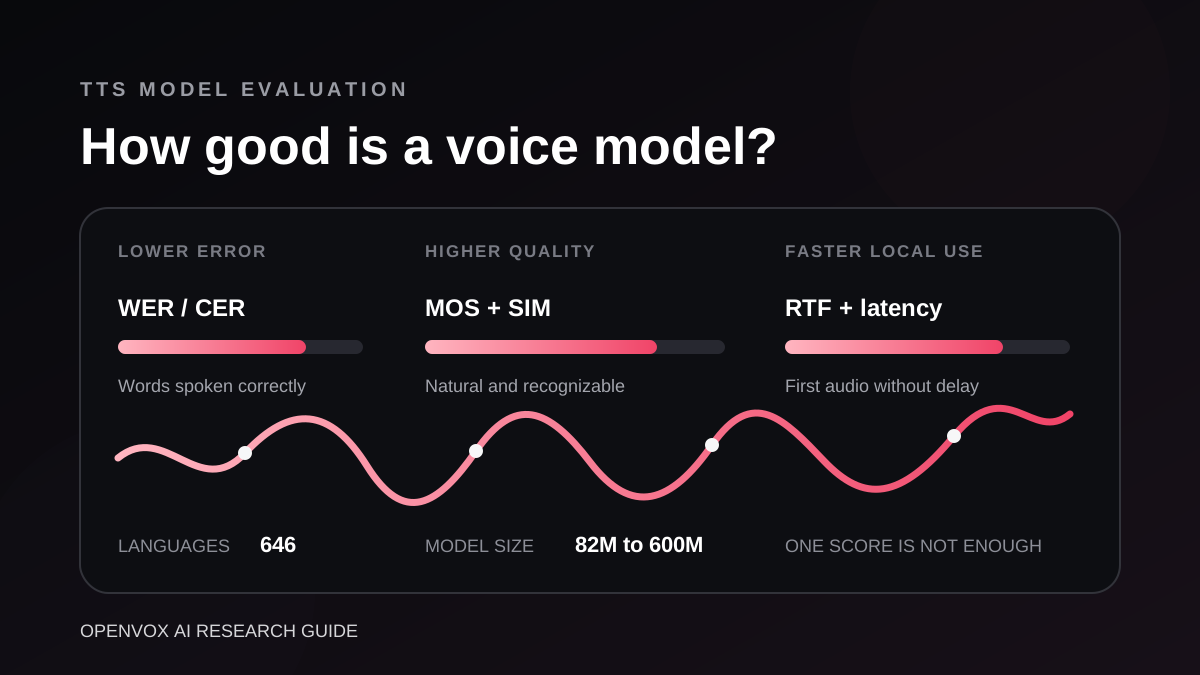
PocketTTS is the practical CPU choice. Kyutai recommends cleaning the reference because the model can reproduce the sample's audio quality as well as its voice. OmniVoice is the language-coverage choice, supporting 646 languages in its current release. See our detailed TTS model benchmark guide for a separate comparison of similarity evidence, accuracy, speed, and coverage.
Step 1: confirm consent and intended use
Only clone your own voice or a voice you have explicit permission to use. For a client, employee, performer, or collaborator, keep a written record covering the intended project, distribution channels, commercial rights, duration, revocation process, and whether future reuse is allowed. Permission for one video does not automatically grant permission for an audiobook, advertisement, game character, or permanent voice asset.
Do not clone public figures, celebrities, coworkers, family members, or recordings found online without the appropriate rights. PocketTTS explicitly prohibits unauthorized impersonation, fraud, deception, and presenting synthetic audio as a genuine recording. OmniVoice similarly prohibits unauthorized cloning, scams, and illegal impersonation. Read our voice cloning ethics and privacy guide before collecting a reference from another person.
Step 2: record a clean reference
Use a quiet, dry room
Record away from fans, air conditioners, traffic, computer vents, refrigerators, and reflective empty walls. Curtains, rugs, bookshelves, bedding, and soft furniture reduce room reflections. A normal microphone in a quiet furnished room usually produces a more useful reference than an expensive microphone in a large reverberant room.
Keep the microphone and speaker in fixed positions. Record about 10 to 15 centimetres from the microphone, angle it slightly away from the mouth to reduce plosives, and use a pop filter when possible. Do not move the microphone halfway through the sentence.
Record one person and one delivery style
The clip should contain one speaker only. Remove interviewer prompts, laughter from another person, background television, doubled voices, and music. Avoid joining phrases recorded on different days, microphones, or rooms. Those edits give the model conflicting information about timbre and acoustic space.
Record in the style you want the generated voice to use. A whispered reference encourages breathy output. A rushed reference can produce rushed speech. A highly emotional reference can make neutral narration unstable. For general narration, use a comfortable, moderately expressive speaking voice at a steady pace.
Aim for quality before duration
Qwen3-TTS officially supports rapid cloning from roughly three seconds, but the shortest working clip is not always the best production reference. A practical starting range is 8 to 20 seconds of continuous speech. This normally provides several vowels, consonants, pitch movements, and natural phrase boundaries without adding multiple acoustic conditions.
Test three versions whenever possible: approximately 5 seconds, 10 seconds, and 20 seconds. Use the same target text and compare identity, pronunciation, pacing, and noise. Stop adding duration when quality stops improving. A model may focus more clearly on one excellent sentence than on a longer clip with breaths, errors, and room changes.
Capture healthy levels without processing damage
- Keep peaks safely below clipping. Peaks around minus 12 to minus 6 dBFS are a useful recording target.
- Prefer a clean WAV export. Avoid repeatedly converting between MP3, AAC, and WAV.
- Use mono unless the recording tool requires stereo. A single voice does not benefit from stereo ambience.
- Do not upsample a low-quality recording. More samples cannot restore missing detail.
- Trim long silence while preserving natural breaths and word endings.
- Use noise reduction lightly. Metallic denoising artifacts can become part of the cloned voice.
- Avoid heavy compression, reverb, pitch correction, voice isolation, and music-mastering presets.
Step 3: write and verify the reference transcript
For Qwen3-TTS and OmniVoice, the transcript is part of the conditioning signal. It must describe what the clip actually says, not what the speaker intended to say. If the speaker says “I'm”, do not write “I am”. Include spoken repetitions and meaningful fillers. Remove words from the transcript if they were removed from the audio.
Punctuation should represent the audible phrasing. Use a question mark for a real question, commas for short phrase boundaries, and full stops for completed sentences. Do not add decorative punctuation that has no audible equivalent. Listen once at normal speed and once while following the text word by word.
Qwen permits an x_vector_only_mode without a transcript, but its official documentation says cloning quality may be reduced. Use that mode as a fallback, not the default. When reusing one speaker for many lines, create and save a reusable voice prompt so every generation starts from the same conditioning data.
Step 4: match the reference language to the output
Same-language cloning is the safest path to a natural accent. If the output will be French, record a French reference when the speaker can provide one. This gives the model both the voice identity and relevant phonetic evidence. When one voice must speak several languages, record separate permissioned references for the major target languages and compare them.
Cross-language cloning separates speaker identity from pronunciation imperfectly. Chatterbox specifically warns that a mismatch between the reference language and selected language tag can transfer the reference accent into the output. Its official guidance suggests setting CFG to 0 as a mitigation. Treat that as a recovery option, then compare it with the normal default rather than applying it blindly to every clip.
MOSS TTS 1.5 is worth testing when you want a quality-first Mac or Windows workflow with 31-language support, more stable cloning, and 48 kHz stereo output. Choose Chatterbox Multilingual V3 when you need expressive cloning within its supported languages. Choose OmniVoice when coverage beyond those languages is essential. Choose Qwen3-TTS for its ten supported languages when identity and reusable prompt quality take priority. Have a native speaker review pronunciation, not only voice similarity.
On Windows, compare FireRedTTS3 for language and Chinese dialect reach, Audio8 TTS for a compact multilingual checkpoint, Sopro V2 Turbo for a short-reference workflow, and VoxCPM2 when a larger model and voice design are useful. Keep the reference, target sentence, and language the same when auditioning them.
Step 5: prepare generation text for speech
A good voice clone can still fail on poorly prepared text. Normalize dates, currencies, percentages, abbreviations, model numbers, URLs, and uncommon names before generating a long file. Spell out ambiguous abbreviations and use pronunciation replacements for terms the model consistently misreads.
- Use complete sentences with ordinary punctuation.
- Split long chapters at paragraph or sentence boundaries.
- Keep dialogue turns separate when the delivery changes significantly.
- Avoid giant unbroken blocks copied from PDFs or web pages.
- Remove headers, page numbers, footnote markers, navigation text, and duplicate whitespace.
- Test names and technical terms before generating the full project.
For long-form work, generate in stable chunks and join the approved results. Short chunks are easier to regenerate when a sentence is wrong, but extremely short fragments can sound disconnected. One to three sentences per generation is a useful starting point. Keep paragraph context together when it affects emotion or meaning.
Step 6: tune one model control at a time
Qwen3-TTS
Start with reference audio plus the exact transcript. Use the Base checkpoint for cloning, not the CustomVoice checkpoint. Build one reusable clone prompt after selecting the winning reference and keep it fixed across the project. If output varies too much, generate several candidates with unchanged inputs before changing sampling controls. This separates natural generation variance from a bad reference.
Chatterbox
Start with the official defaults of exaggeration=0.5 and cfg=0.5. If the reference speaker talks quickly, Chatterbox recommends lowering CFG toward 0.3 to improve pacing. For dramatic speech, its guidance suggests increasing exaggeration toward 0.7 or higher while lowering CFG to compensate for the speed increase. Change one value at a time and save the settings with each test.
PocketTTS
Focus on reference cleanup because the prompt's sound quality is readily reproduced. Once a reference works, export its voice state for faster, repeatable loading instead of reprocessing the audio every session. PocketTTS is especially useful when the machine has no dedicated GPU or the application needs low first-audio latency.
OmniVoice
Supply both reference audio and reference text, select the correct output language, and use pronunciation correction for difficult names where available. Its strength is broad language reach, but that does not remove the need for native-language review. Also note that the official code is Apache 2.0 while the published checkpoint is CC-BY-NC because of training-data restrictions.
Step 7: run a small reference audition
Do not judge a reference from one easy sentence. Create a fixed audition of 10 to 20 lines and use it for every candidate reference. Include:
- A short neutral sentence.
- A longer sentence with several clauses.
- A question and an exclamation.
- Names, numbers, dates, currencies, and percentages.
- Sibilant sounds such as s, sh, and z.
- Plosives such as p, b, t, and k.
- A quiet or reflective line.
- An energetic line.
- A paragraph from the real production domain.
- One line in each required output language.
Hide filenames and compare samples without looking at the model or reference name. Score speaker identity, naturalness, intelligibility, accent, pacing, background artifacts, and long-form stability separately. A sample that sounds most similar may not be the easiest to understand.
Reference quality scorecard
| Check | Pass condition | If it fails |
|---|---|---|
| Consent | Written permission covers the intended use | Do not create or retain the voice asset |
| Speaker isolation | Only one person is audible | Record again instead of trying to separate voices |
| Noise and room tone | No distracting hum, music, echo, or hiss | Change the room or microphone position |
| Clipping | No flattened peaks or audible distortion | Lower input gain and record again |
| Transcript | Every word matches the recording | Correct the text or replace the clip |
| Style | Delivery matches the intended production | Record a calmer or more expressive alternative |
| Language | Reference and output language are compatible | Use a matched reference or multilingual model |
| Consistency | Several test lines retain the same identity | Try another reference before tuning more settings |
How to fix common voice cloning problems
| Problem | Likely cause | Best first fix |
|---|---|---|
| The voice sounds like the speaker but not quite right | Reference is too short, emotionally mismatched, or acoustically poor | Test a clean 10 to 20 second clip with more phonetic variety |
| Generated audio contains hiss or room echo | The model copied the reference environment | Record again in a quieter, softer room |
| Words are skipped, repeated, or invented | Long text, weak punctuation, model instability, or mismatched language | Split at sentence boundaries and verify the language setting |
| Cross-language output has the wrong accent | Reference accent dominates the target language | Use a target-language reference or test Chatterbox with lower CFG |
| The output is too fast | Fast reference delivery or expressive settings | Use a slower reference; for Chatterbox, test CFG near 0.3 |
| The voice changes between paragraphs | Reference or prompt state changes between generations | Reuse one approved prompt and fixed settings |
| Names and numbers sound wrong | Text normalization or pronunciation ambiguity | Spell out the intended reading or add a replacement |
| Denoised reference sounds metallic | Aggressive noise removal damaged speech detail | Return to the original and apply less processing |
Build a reusable production voice
Once you have a winning reference, treat it as a versioned production asset. Keep the original recording, the trimmed master, exact transcript, consent record, model name and version, language, generation settings, and a small set of approved test outputs together. Give the voice a neutral project name rather than a public person's identity.
Do not replace the reference halfway through a chapter unless you are prepared to regenerate earlier audio. Even recordings from the same person can produce a perceptible change in tone. For a series, archive the exact reference and model version used for each release.
OpenVox keeps scripts, permitted reference samples, and generated audio on your device for local model workflows. You can compare supported cloning models without uploading production material to a hosted inference service. Explore the local voice cloning workflow or compare each model's published evidence in our benchmarking guide.
Final checklist before a long generation
- You have explicit permission for the voice and intended distribution.
- The reference contains one speaker in a quiet, dry environment.
- The recording is unclipped and has not been aggressively processed.
- The transcript exactly matches every spoken word.
- The reference style and language fit the target output.
- You tested multiple reference lengths and selected the best by listening.
- You normalized difficult text and tested names, numbers, and abbreviations.
- You saved the model version, reference, transcript, and settings.
- A native speaker reviewed each production language.
- Synthetic audio will be disclosed when listeners could mistake it for a real recording.
Official model resources
- Qwen3-TTS official repository and voice cloning examples
- Chatterbox official model card, multilingual V3 guidance, and controls
- PocketTTS official model card and voice-state workflow
- OmniVoice official model card, cloning API, and license notice
- FireRedTTS3 official model card
- Audio8 TTS Preview official model card
- Sopro V2 Turbo official model card
- VoxCPM2 official model card
- Qwen3-TTS technical report
- OmniVoice technical paper